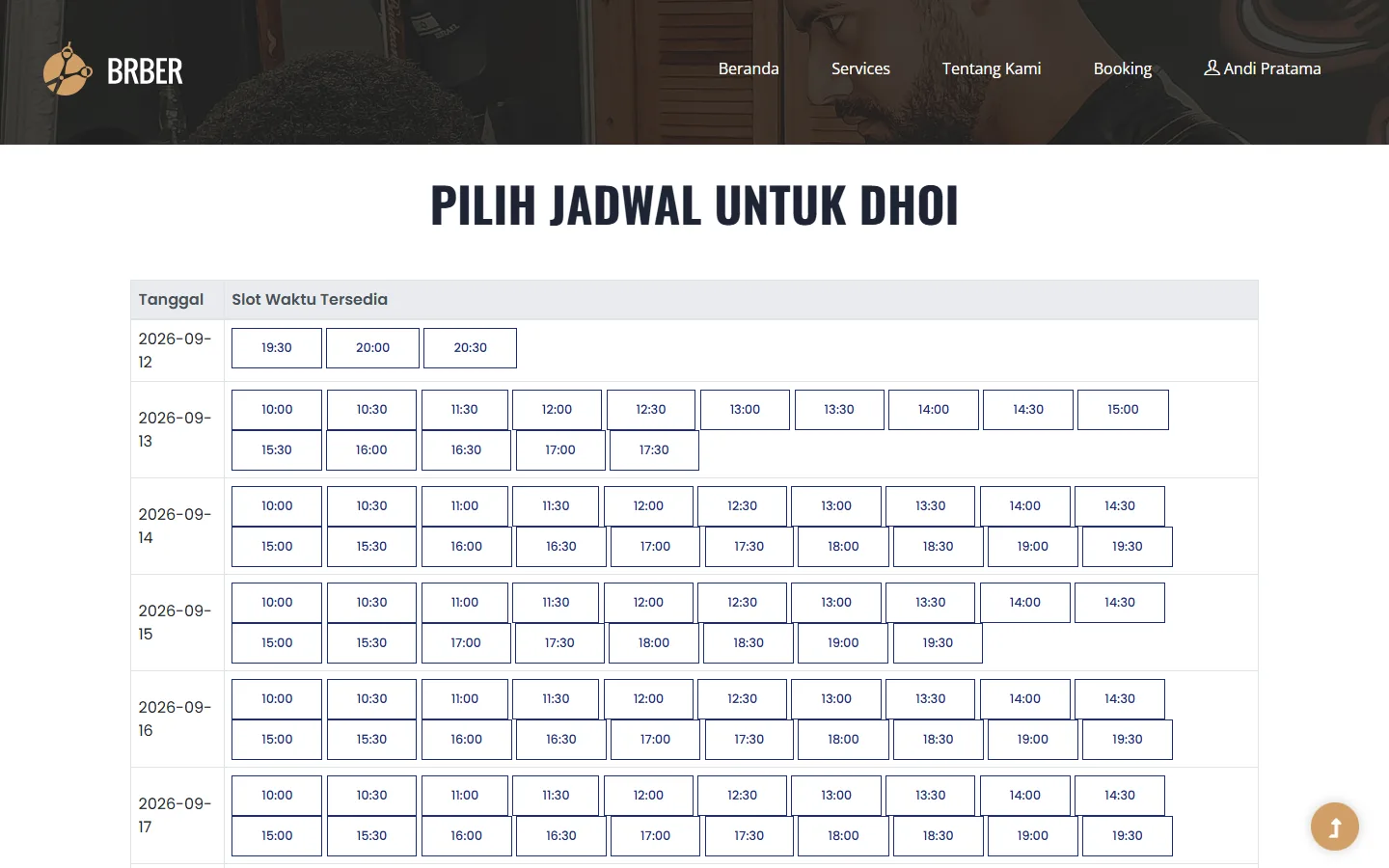
A booking calendar often looks simple: choose a service, choose a person, then choose a time. The last step is where the real rules live. A 10 a.m. slot is not free if a 9:30 service runs until 11.
While building the reservation flow for Maro Barbershop, I treated a booking as a time interval, not a dot on a calendar. Customers see start times, but the system must calculate an end time from the selected service duration before it calls a slot available.
Different services take different amounts of time
A haircut, a wash and cut, and coloring do not occupy the same length of time. If an application marks only the start of each hour as “busy” or “free”, two bookings can overlap even though they start at different times.
In this flow, candidate start times appear at 30-minute intervals, while the time actually blocked follows the duration of the selected service. These are different concepts: the display interval helps customers browse; the service duration determines whether a choice is safe.
The system also checks the barber's working hours. A slot with no existing booking conflict is still not available if it falls outside that person's schedule.
Conflicts happen when time ranges overlap
The useful comparison is not simply “is there another booking at 10?”. It is whether an existing booking starts before the proposed slot ends and ends after the proposed slot begins. That catches a 9:30–11 booking conflicting with a proposed 10–10:45 appointment.
A canceled booking no longer blocks the time. That status matters: if cancellation merely changes a label in the interface but still holds the slot in availability calculations, customers see a full schedule that is not really full.
A displayed slot is not a guarantee
There is a gap between someone seeing a slot and clicking the booking button. Another customer may take it during that gap. Availability therefore cannot be checked only when the calendar first loads.
On submission, the application checks for overlap again inside a database transaction. It locks the barber's row while checking and saving, so two simultaneous requests cannot both claim the same time. If the slot has changed, the customer needs to choose another.
This is one of those cases where a smooth interface depends on consistent server-side rules. Without the second check, the calendar may look right while its booking confirmation is wrong.
Let the customer flow follow real decisions
The order service → barber → schedule helps customers understand why certain times appear or disappear. Duration comes from the service; working hours and existing appointments come from the barber. Showing a schedule before those choices are known would only produce slots that need to be withdrawn later.
On screen, I want availability to make sense without asking customers to understand interval arithmetic. Show valid choices, clear service prices and durations, and a plain message if someone else takes a time first.
A reliable calendar earns trust
Customers never see the database transaction or overlap expression. They just want to arrive at the agreed time and be served by the person they chose. That is why details such as duration, cancellation, and a final availability check determine whether booking feels dependable.
See the service and schedule selection screens in the Maro Barbershop case study.