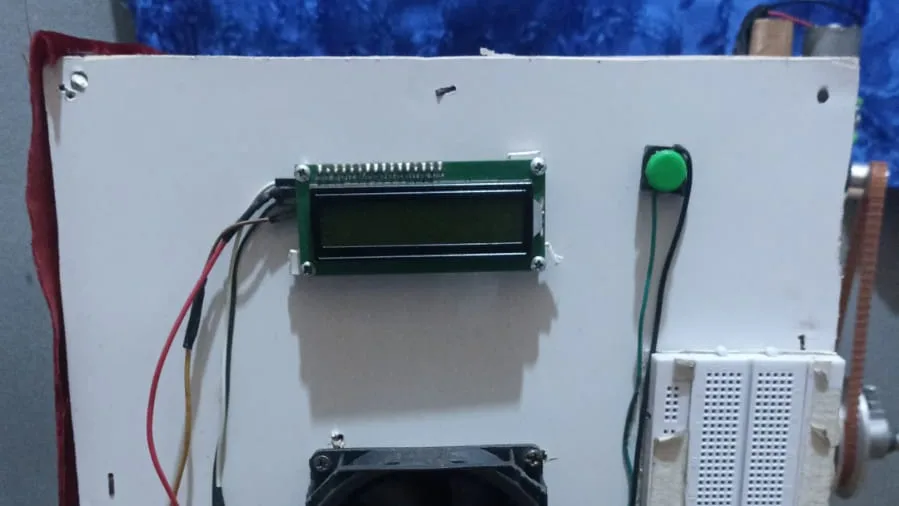
The paddy dryer I assembled uses a heating element, a fan, and a motor that turns the grain drum. When everything is normal, the firmware's job looks simple: read the temperature, switch on the heater, and wait until the grain is dry. The more important part happens when something is not normal.
In the Arduino Uno paddy dryer prototype, I defined the safe state first and the heating flow second. Every uncertain situation leads to the same outcome: the heater is off.
The device starts in an off state
When the Arduino powers up, every relay for the heater, fan, motor, and buzzer is switched off. The device then waits in standby, and the LCD asks the user to press the button to start. The heater never turns on just because power is connected or the board has just reset.
It sounds like a small decision, but it matters for a device that produces heat. If the board restarts in the middle of a run, the device returns to standby instead of quietly continuing to heat.
One button to start and stop
The prototype uses a single button. The first press starts the process and the next press stops it. The firmware checks the button on every pass of the loop and waits 50 milliseconds to confirm a real press. When stopped, the heater, fan, and motor switch off, the LCD shows “SISTEM BERHENTI!”, and the buzzer sounds three times.
The sensor is only read every two seconds, but the button check does not wait for that schedule. The stop button is picked up whenever it is pressed.
A failed sensor means the heater turns off
The DHT22 occasionally fails to return a value. The firmware checks each reading every two seconds; if temperature or humidity cannot be read, the heater and motor switch off while the fan keeps running. The LCD shows “SENSOR ERROR!” and the Serial log records the failure.
Leaving the fan on is deliberate. The chamber may still be hot, and airflow helps remove the remaining heat. A safe state does not always mean switching everything off; what must be switched off is the source of heat.
The emergency limit is separate from the working range
In normal operation, the heater uses hysteresis: it turns on below 45°C and off above 50°C, so the relay does not keep toggling. The 60°C limit serves a different purpose. If the temperature passes it, the firmware moves the device into the same safe state used for a sensor failure, shows “BAHAYA: OVERHEAT”, and sounds the buzzer.
Keeping the two limits apart makes the logic easy to follow. The 45–50°C range is the process target, while 60°C is a sign that something has gone wrong.
The finish signal is not a moisture measurement
The firmware ends the run when the relative humidity inside the drying chamber falls to 14% or lower. The fan then runs for about ten seconds to cool down before the device returns to standby. That 14% is the humidity of the air in the chamber, not the moisture content of the grain, so grain moisture is still measured separately with a moisture meter. In one test with 500 grams of paddy over 90 minutes, the moisture meter recorded a change from 24.2% to 13.8%. Those figures apply to that amount of grain and those conditions.
The wiring, photos of the device, and the test results are in the automated paddy dryer case study.