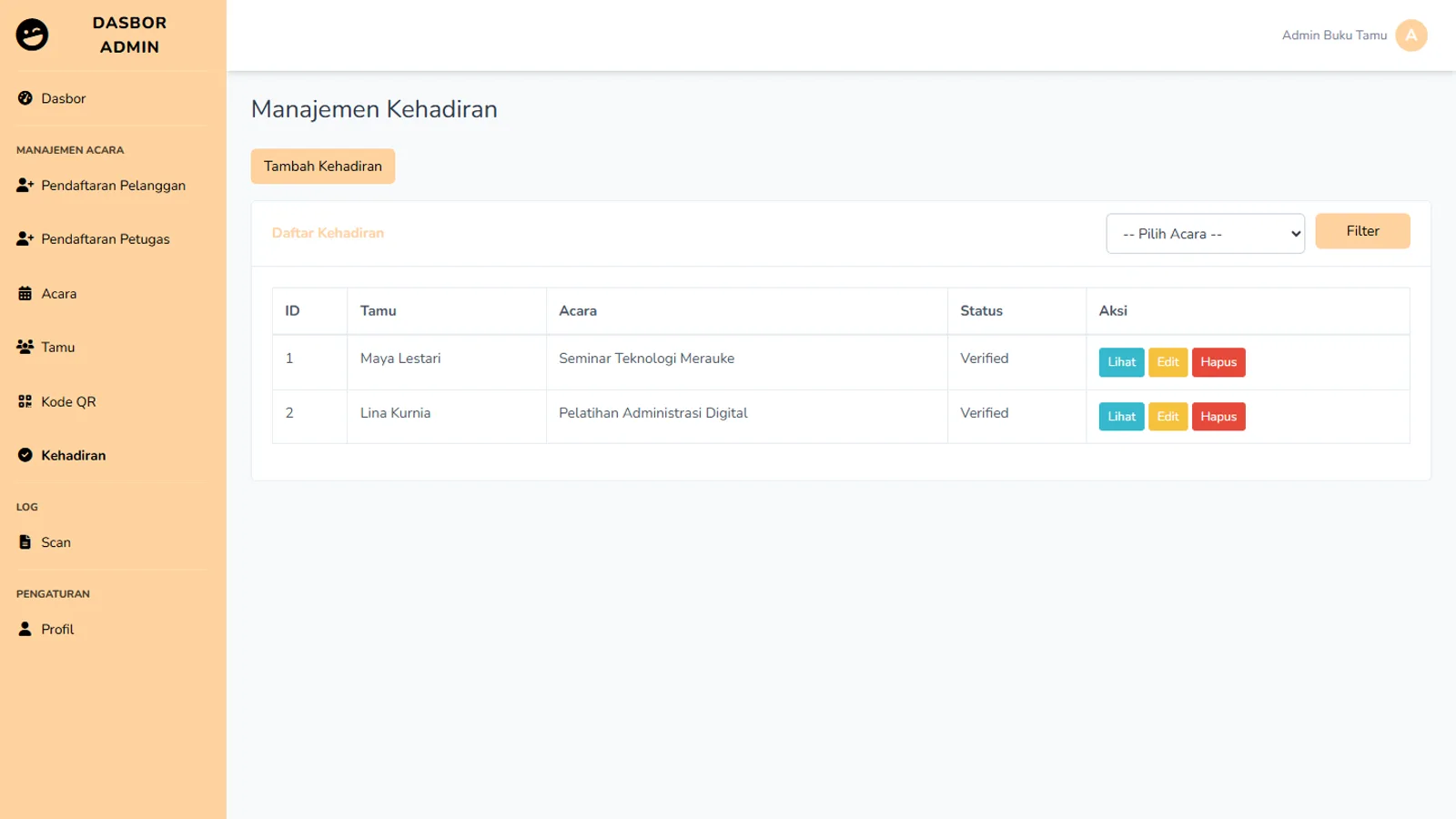
A QR code shortens the line at the door: point a camera, read the code, move on. But a successful read does not yet answer what the event team needs to know. Is this person registered for the right event? Is the event taking place today? Have they already been marked present?
That is why I kept scan logs separate from attendance in the QR-based event guestbook system. They are related records, not interchangeable ones.
The code must match the event context
Reading a code is only the input. The application still has to find it, connect it to an event, and verify that the guest belongs to that event. This implementation also checks the event date during scanning. Attendance should not be created merely because a QR pattern is readable when the surrounding context is wrong.
That matters when the same system handles multiple events. A guest's name may appear in more than one activity, but attendance at one cannot silently become attendance at another. The guest-to-event relationship needs an explicit check.
One guest can be scanned more than once
In practice, a repeat scan is ordinary. A staff member may try again because the screen was unclear, the connection felt slow, or they want to confirm that the first attempt worked. The number of scans therefore cannot be used as the number of people present.
Each successful scan is recorded in a log. The attendance record, meanwhile, is updated for the guest-and-event pair, so a second scan does not create a second attendance row for the same person at the same event. The repeat scan is not hidden: it remains in the log, while the attendance summary stays accurate.
This distinction answers two separate questions: “how many times was a code scanned?” and “who attended?”. Mixing them can produce a plausible-looking count until someone checks the detail.
Keep a manual path
QR is a convenient input method, not the only way an event team works. In this system, staff and admins can also manage attendance manually within their access rights. Staff actions are scoped to events they are responsible for.
That path matters when a camera fails, a guest cannot present a code, or an entry needs review. Manual work should not become an unregulated back door, though. Guest identity, event, status, and authorization must be as clear as they are during a QR scan.
Staff feedback is different from an admin report
At the check-in desk, staff need immediate feedback: the guest, the matching event, and the attendance state. They should not have to search a whole table to discover whether a scan worked. Admins, on the other hand, need attendance lists and scan logs to investigate unusual entries.
I see QR as one small piece of a longer flow: guest registration, event association, scan validation, attendance, and a history that can be checked later. If a link in that chain is missing, a fast camera does little to help.
Success is more than a successful scan
Good check-in leaves the event team with a record they can trust afterward. It separates people from scanning attempts, and one event from another. The QR code speeds up the doorway; the data model keeps the story behind it accurate.
The screens, attendance list, and scan log are shown in the event guestbook case study.